Guides · 7 min read
Free school management tools for teachers in 2026
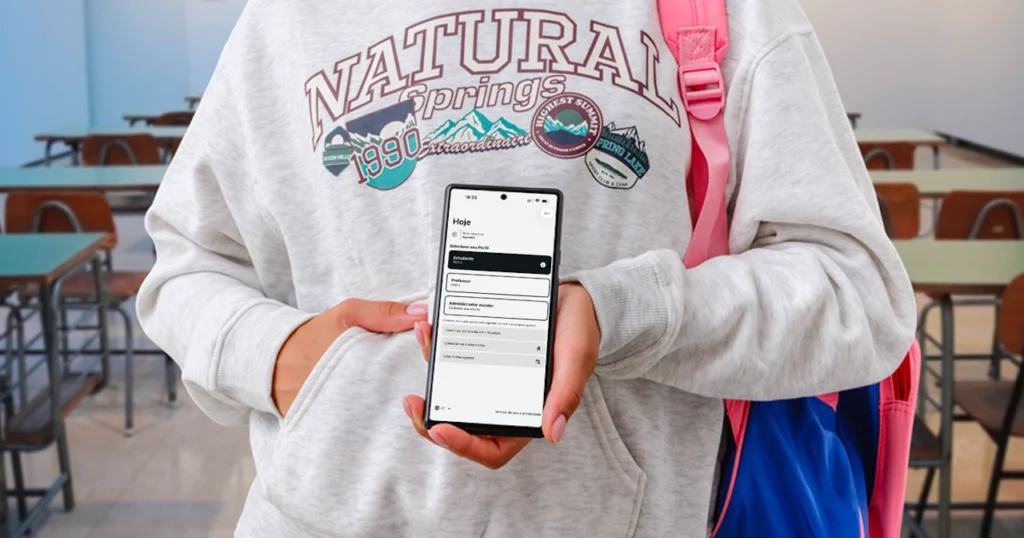
Teachers already have too much on their plate. Grading, lesson planning, parent meetings, reports. The last thing you need is to spend time fighting over room bookings or trying to figure out the schedule.
The good news: there are free tools that handle the tedious stuff so you can focus on teaching. Here are the best ones, organized by what they actually solve.
Scheduling and room booking
Agenda1 (free)
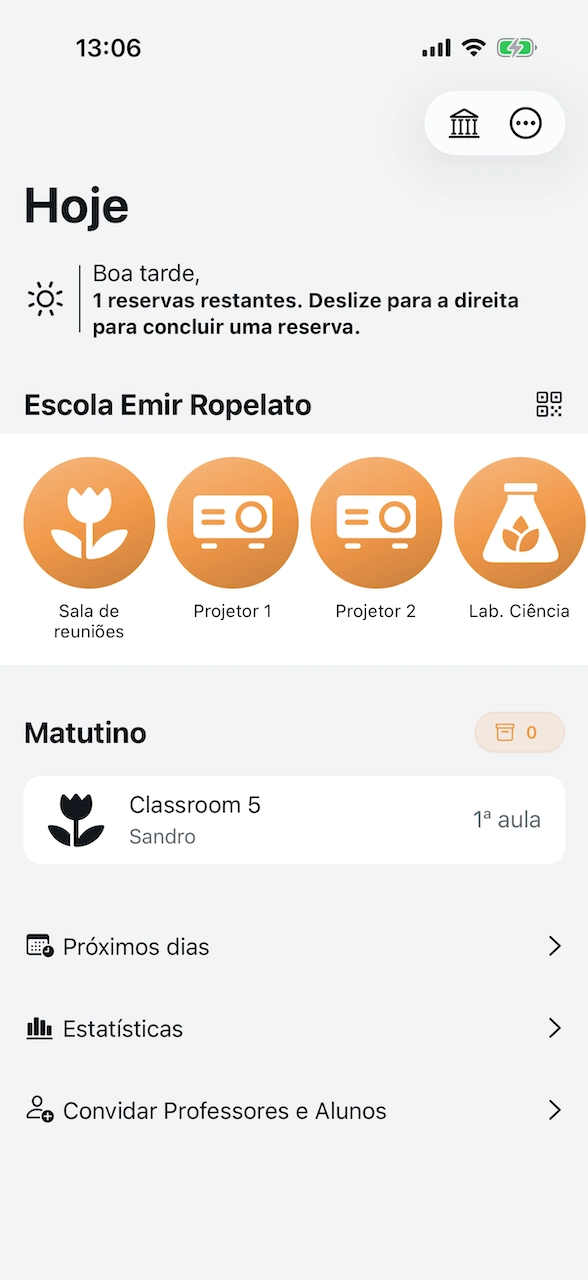
What it does: book school rooms, labs, and equipment. View class schedules. Track exams and assignments.
Platforms: iOS, Android, Web
Website: agenda1.app
Agenda1 is the go-to tool for teachers who need to book shared spaces. Open the app, see what’s available, tap to book. Done. You can book from home while planning tomorrow’s class. If a slot is taken, you see it right away — no more showing up to find the lab occupied.
For students, it doubles as a collaborative class agenda. One student adds the exam date, everyone in the class sees it.
Free for all teachers and students. School admins pay for advanced features like multi-school management and usage reports.
Google Calendar (free)
What it does: personal scheduling, reminders, shared calendars
Platforms: Web, iOS, Android
Good for your personal schedule. You can create a shared calendar for your class. But it wasn’t designed for school-specific needs like room booking or class grids, so it gets messy fast when the whole school tries to use it for scheduling.
Assignments and communication
Google Classroom (free)
What it does: post assignments, share materials, collect work, communicate with students
Platforms: Web, iOS, Android
The standard for sending and collecting assignments online. If your school uses Google Workspace, this is a no-brainer. Students submit work, you grade it, everything stays organized. It also sends guardian email summaries so parents stay in the loop. Works well alongside a scheduling tool like Agenda1.
Microsoft Teams for Education (free)
What it does: video calls, chat, file sharing, assignments
Platforms: Web, iOS, Android, Desktop
Similar to Google Classroom but in the Microsoft ecosystem. A good fit if your school uses Office 365. Video calling is solid for online classes. The assignment workflow is a bit more involved than Google Classroom but covers the same ground.
Student behavior and parent communication
ClassDojo (free core)
What it does: behavior tracking, parent messaging, class stories
Platforms: Web, iOS, Android
Give points for good behavior, communicate with parents, share photos of class activities. Very popular in elementary schools. Parents love seeing what their kids are doing. The free version covers most of what teachers need. The paid ClassDojo Plus (around $15/month) is aimed at families and adds extras like homework help and detailed progress reports.
Grading and report cards
Google Sheets / Excel (free)
What it does: anything, if you know how to set it up
Platforms: Web, mobile, Desktop
Many teachers build their own grading spreadsheets. It’s flexible but takes time to set up. There are free templates online for grade tracking, attendance, and report cards that can save you the effort.
iDoceo (paid, one-time purchase)
What it does: gradebook, planner, attendance, reports
Platforms: iPad, iPhone, Mac
A popular teacher planner in the Apple ecosystem. Well-designed for teachers who like to have everything in one app. It’s a one-time purchase with no subscription — you buy it once and get all features and updates included.
Quizzes and assessment
Kahoot! (free basic, with limits)
What it does: interactive quizzes and games
Platforms: Web, iOS, Android
Students love it. Create a quiz, project it in class, students answer on their phones. Great for review sessions before exams. One thing to be aware of: the free plan limits sessions to around 10 participants, which won’t cover a full classroom. Paid school plans (starting around $15/teacher/month) remove that cap and add features like advanced question types and detailed analytics.
Google Forms (free)
What it does: surveys, quizzes, data collection
Platforms: Web (works well on mobile browsers too)
Simple and effective for quizzes with automatic grading. Not as fun as Kahoot but better for longer assessments. Responses go straight to a spreadsheet for easy review.
The smart combo for teachers
You don’t need 10 apps. Here’s a setup that covers what most teachers need:
| Need | Tool | Cost |
|---|---|---|
| Room/lab booking | Agenda1 | Free |
| Class schedule | Agenda1 | Free |
| Assignments | Google Classroom | Free |
| Quizzes | Kahoot! or Google Forms | Free (Kahoot has limits) |
| Parent communication | ClassDojo | Free |
| Personal calendar | Google Calendar | Free |
Total cost: $0 (or close to it).
Tips for getting started
-
Start with your biggest headache — if room booking is the problem, start with Agenda1. If assignments are the problem, start with Google Classroom. Don’t try to set up everything at once.
-
Get your colleagues on board — tools work better when everyone uses them. Bring it up at the next staff meeting and set it up together.
-
Keep it simple — the best tool is the one you’ll actually use every day. If it takes more than a minute to do the basic task, find something simpler.
-
Try before you commit — most of these tools are free to start. Test them for a week before making a decision.
-
Ask students for help — they’re usually faster at picking up new apps. Let them help set things up.
Want a deeper comparison of scheduling apps? See our comparison of the best school agenda apps. For lab-specific scheduling, check out how to organize lab scheduling in schools.
Bottom line
Teaching is hard enough without fighting with paper schedules and messy WhatsApp groups. Every tool on this list is free (or has a generous free tier) and can save you real time every week. Pick the one that solves your most annoying problem and start today.