Guides · 8 min read
Best school agenda apps in 2026: a practical comparison
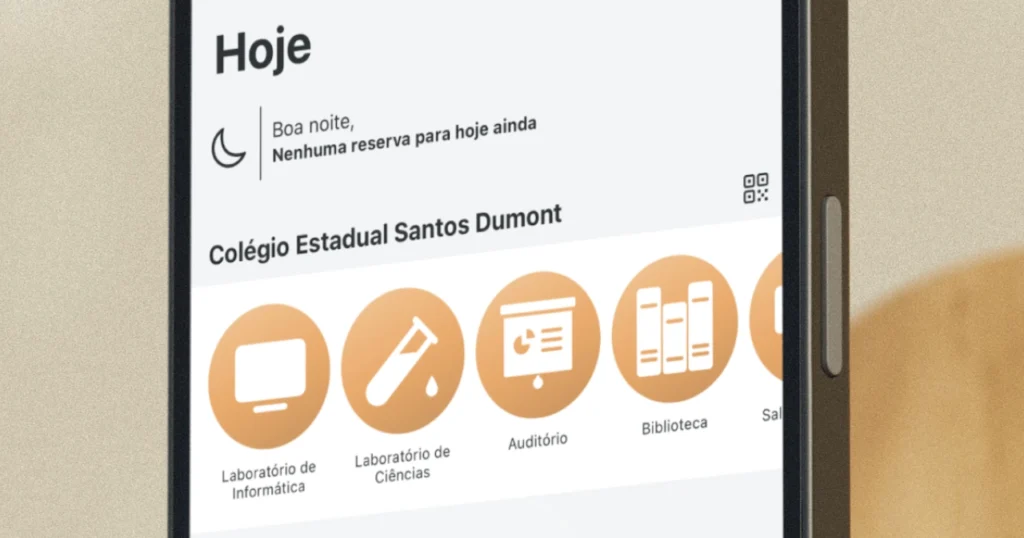
Between forgotten assignments, double-booked labs, and parents asking “what’s going on at school?”, managing a school schedule is harder than it looks. A good agenda app can fix most of that — but there are a lot of options out there.
Here’s a honest look at the main ones, what they’re actually good at, and where they fall short.
What to look for in a school agenda app
Before picking an app, figure out what problem you’re actually solving:
- Teachers usually need to book rooms, labs, and equipment, and keep track of their class schedule.
- Students want to know what exams and assignments are coming up, and see their daily class grid.
- Admins need to manage the whole school’s schedule and pull usage reports.
- Parents just want to stay in the loop about their child’s school day.
The right app depends on who’s using it and what kind of school you run.
The apps
Agenda1
Best for: room booking, class grid, school scheduling
Price: free for teachers and students. PRO for admins starts at $9.99/month.
Platforms: iOS, Android, Web
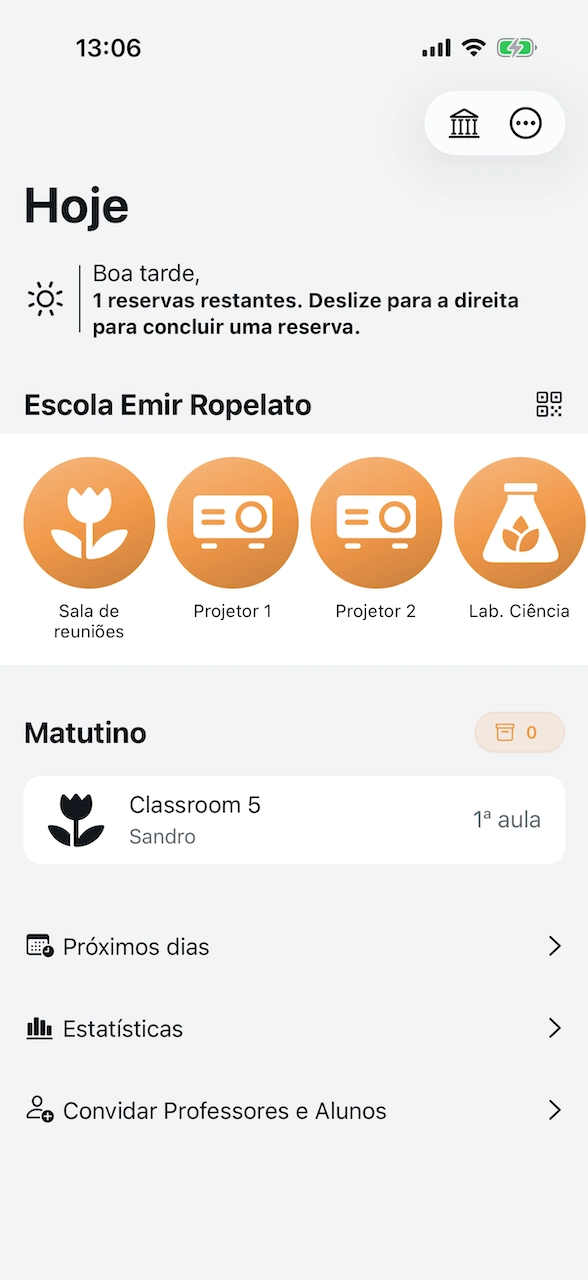
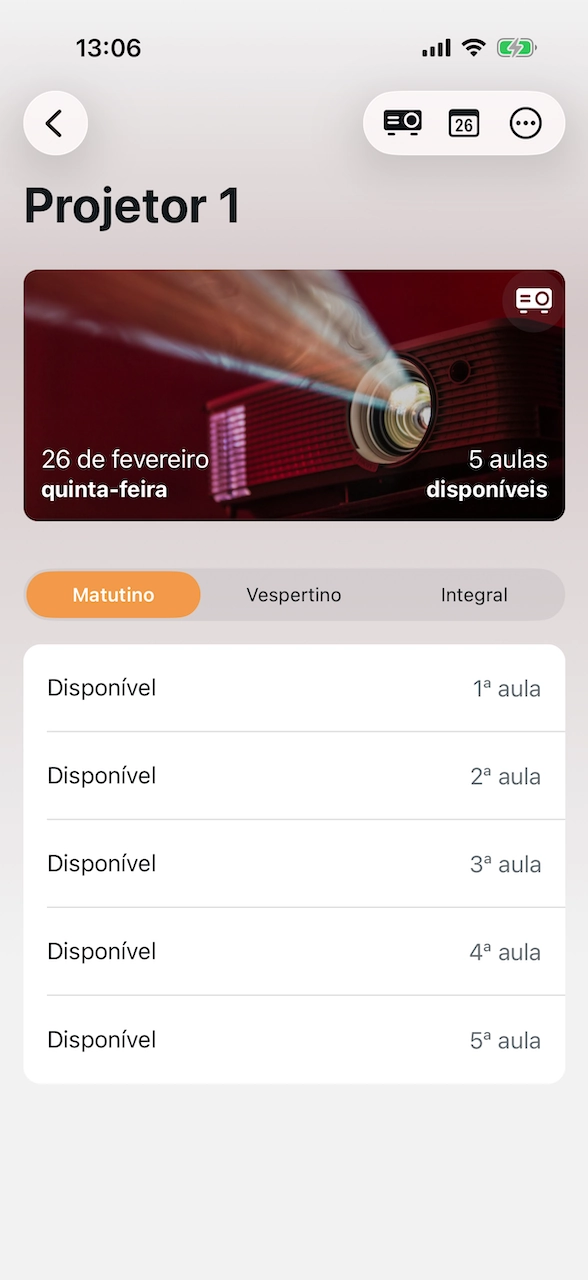
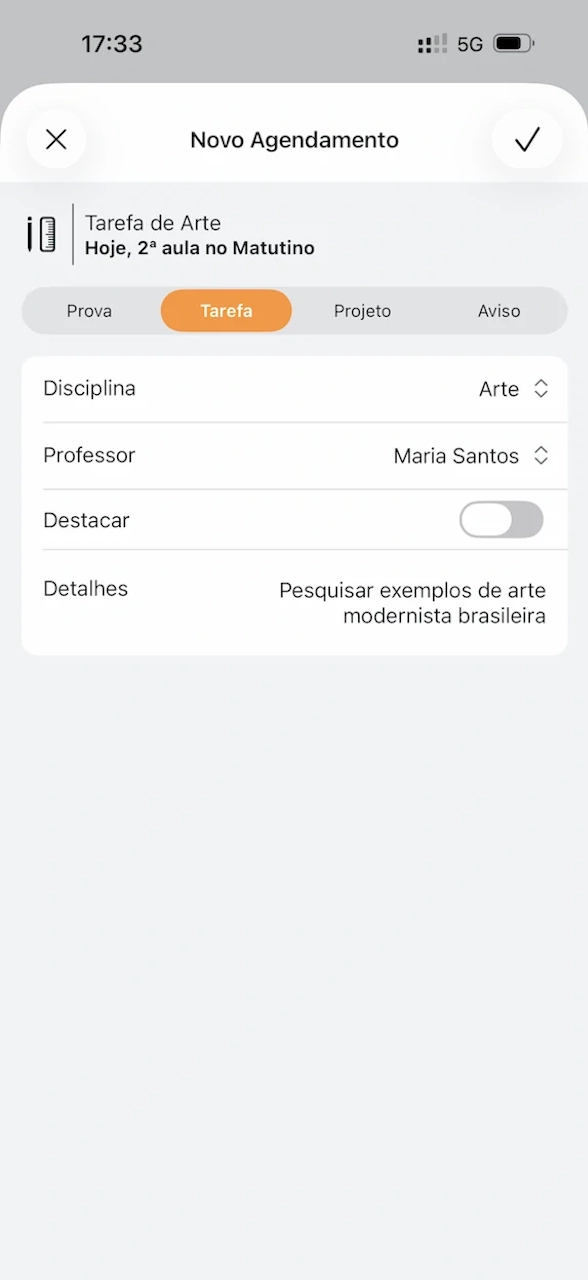
Agenda1 is built around what schools deal with every day: booking shared rooms and equipment, checking class schedules, and keeping track of assignments. It’s been around since 2014 and is used by thousands of schools.
What makes it different:
- Teachers book labs and rooms from their phone in seconds
- Students see their daily class grid and upcoming exams
- One student can schedule for the whole class (collaborative booking)
- Admins get a dashboard with usage reports and CSV export
- Supports multiple schools in one account
- Available in 6 languages
- Free for teachers and students — no catch
It works especially well for schools with shared spaces (computer labs, science labs, auditoriums) where multiple teachers need to coordinate.
Website: agenda1.app
Google Classroom
Best for: assignment distribution, teacher-student communication
Price: free (part of Google Workspace for Education)
Platforms: Web, iOS, Android
Google Classroom is solid for sending out assignments and communicating with students. It plugs into Google Drive, Docs, and Meet, which makes it convenient if your school already runs on Google. It also offers guardian email summaries so parents can get updates on their child’s work.
That said, it doesn’t handle room booking or school-wide scheduling. It’s more of a virtual classroom than a scheduling tool.
ClassDojo
Best for: behavior tracking, parent communication, elementary schools
Price: free for teachers and families (core features). ClassDojo Plus for families starts around $15/month.
Platforms: Web, iOS, Android
ClassDojo is great at parent-teacher communication and tracking student behavior with a points system. Kids love the monster avatars. The free tier covers messaging, class stories, and portfolios. The paid Plus subscription is aimed at families, not schools, and adds things like homework help and detailed progress reports.
It’s designed mostly for elementary schools and doesn’t help with room scheduling, timetables, or equipment booking.
iStudiez Pro
Best for: individual student planner
Price: free with limited features. Cloud sync requires a subscription (monthly or annual).
Platforms: iOS, macOS, Android, Windows
iStudiez is a personal planner for students. You add your own classes, exams, and assignments. The design is clean, but it’s a solo tool — there’s no collaboration with classmates, no school-wide features, and no admin dashboard. The free version works offline on a single device; syncing across devices requires a paid subscription.
My Study Life
Best for: individual student planner with cloud sync
Price: free (ad-supported). MyStudyLife+ from $4.99/month or $29.99/year removes ads and adds extra features.
Platforms: Web, iOS, Android
Similar to iStudiez but cloud-synced out of the box. The free version now shows ads, and the paid tier adds subtasks, advanced grade tracking, and AI-powered schedule scanning. Like iStudiez, it’s a personal tool with no school-wide collaboration.
Quick comparison
| Feature | Agenda1 | Google Classroom | ClassDojo | iStudiez | My Study Life |
|---|---|---|---|---|---|
| Room/equipment booking | ✓ | — | — | — | — |
| Class grid | ✓ | — | — | ✓ | ✓ |
| Collaborative (class-wide) | ✓ | ~ | — | — | — |
| Admin dashboard | ✓ | ✓ | ✓ | — | — |
| Usage reports | ✓ | — | — | — | — |
| Free for teachers | ✓ | ✓ | ✓ | — | ✓ (with ads) |
| Multi-school | ✓ (PRO) | ✓ | ✓ | — | — |
| Parent features | Coming soon | ~ | ✓ | — | — |
Which one should you pick?
- You need room and equipment booking → Agenda1
- You need to distribute assignments online → Google Classroom
- You need parent communication and behavior tracking → ClassDojo
- You’re a student who wants a personal planner → My Study Life or iStudiez
- You need all-in-one school scheduling → Agenda1
Plenty of schools use more than one tool. Google Classroom for assignments and Agenda1 for scheduling is a common combination that covers most of what you need.
If you’re looking for more free options, check out our guide to free school management tools. And if room booking is your biggest pain point, we have a step-by-step guide to setting up room bookings at your school.
Bottom line
The “best” app is the one your school will actually use. Pick the simplest tool that solves your biggest problem. If that problem is scheduling shared spaces and keeping everyone on the same page, give Agenda1 a try — it’s free and takes minutes to set up.