Education · 8 min read
How to manage projector use at your school
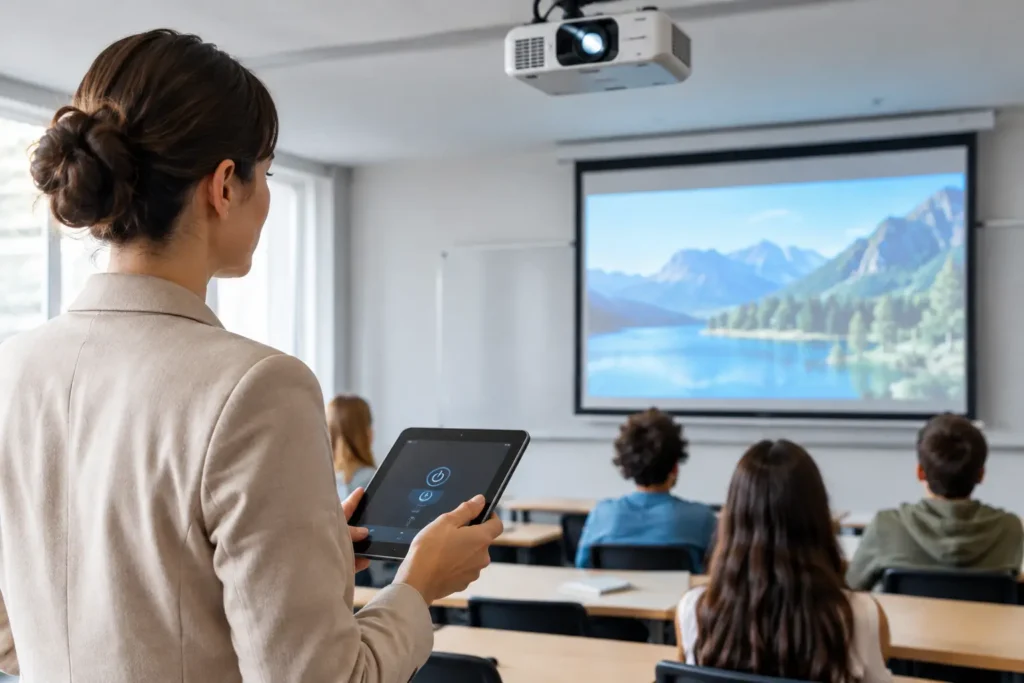
A projector that nobody can locate, a class disrupted by a double-booking, or a piece of equipment returned without its cable may seem like minor inconveniences. In practice, they drain staff time, create friction between teachers, and undermine the student experience. Understanding how to manage projector use at school turns a contested resource into a tool that is available, trackable, and ready to support instruction.
The goal is not to create red tape around borrowing equipment. It is to bring visibility to the daily workflow: who booked it, which room, which time slot, which unit was used, and what condition it came back in. With straightforward rules and a process accessible from a phone or computer, schools reduce last-minute scrambles without making life harder for teachers.
Why projector management tends to break down
In many schools, management starts with a key, a sign-out notebook at the front office, or a spreadsheet maintained by a single staff member. These approaches can work at small scale, but they lose effectiveness once there are multiple shifts, several buildings, teachers on different schedules, and more than one unit available.
The core problem is the absence of a single source of truth. One teacher sends a message asking for the projector. Another writes the same time slot on a paper form. A staff member lends out a unit that was already set aside for another class. When a fault appears, nobody can confirm which room it showed up in or whether it had already been reported.
There is also a meaningful difference between tracking possession and tracking use. Knowing the projector is in Room 12 is useful, but it is not enough. Administration needs to know whether it has been booked, whether it is working, which accessories come with it, and when it will next be free. That history supports purchasing decisions, maintenance scheduling, and equipment redistribution.
How to manage projector use with a straightforward workflow
The best process is one that staff can realistically follow every single day. It is worth designing a short workflow with few steps and clear ownership. Booking should happen before collection, and the return check-in should capture any issues without requiring lengthy forms.
1. Build an inventory that actually supports operations
Start by labeling each projector clearly. Instead of generic names such as “Projector 1” and “Projector 2,” use identifiers that make location obvious, such as “Multimedia Projector – Building A – 01.” Also record the make, model, asset number, storage location, and associated accessories.
Include items that tend to go missing or cause delays: remote control, HDMI cable, power cable, adapters, and carry case. If the school owns units with different capabilities, flag that. A projector with wireless connectivity, for example, serves different needs than a basic presentation model.
The inventory does not need to expose full technical details to every user. Teachers need to see what is available and appropriate for their lesson. Administration, on the other hand, should have access to the complete record for maintenance and asset management purposes.
2. Centralize bookings by time slot and resource
An effective booking system shows, in a single view, the projector, date, time slot, room, and the person responsible. That way, before requesting the equipment, a teacher can see immediately whether it is already committed. Administrative staff stop fielding the same questions repeatedly and can act before a conflict becomes an emergency.
Ideally, the booking should be linked to the class schedule or the room. If the school already knows that a class has a presentation on Tuesday at 10 a.m., the projector can be assigned to that period in advance. This reduces last-minute pickups and prevents a unit from being reserved all day for a 50-minute need.
Also establish a policy for recurring bookings. A teacher who uses a projector every Monday can set up a recurring reservation, but the school should review those standing blocks periodically. Otherwise, equipment sits unavailable during time slots when it is not actually being used.
3. Set visible rules for checkout and return
An extensive policy manual is not necessary. A few clear definitions are enough to keep the process on track: minimum notice required to make a booking, latest time for pickup, designated return location, and the channel for reporting faults. These rules should appear in the same place where bookings are made, not buried in a document that few people read.
Checkout may require a quick confirmation from the person responsible, especially when equipment moves between rooms or buildings. At return, it is worth recording whether the projector came back with all its accessories and performed normally. If there was a problem, the returning teacher should not have to describe it in technical terms. Simple options such as “won’t power on,” “dim image,” “no HDMI signal,” and “accessory missing” are enough to route the issue to the right person quickly.
There is a necessary balance here. Requiring confirmation at every step increases traceability but can feel excessive in schools where projectors are permanently installed in classrooms. In those cases, management should focus on booking, operational status, and maintenance requests. For mobile units, checkout and return records make more practical sense.
Distribute responsibilities without overloading the front office
The front office or academic coordinator does not need to be the sole gatekeeper for every projector. Management can designate an operational owner for equipment records and maintenance, while teachers handle bookings and report issues. In larger campuses, department heads or IT support staff can oversee equipment in specific wings.
This division avoids two extremes: equipment that has no clear owner, and a system that collapses the moment one person is out. If only one staff member knows where the projectors are and how to release them, any absence disrupts the school day. When information is centralized on a platform, operations continue smoothly through shift changes and staff turnover.
Agenda1, for example, lets schools manage room and equipment bookings within the same environment as the academic schedule. For the school, this reduces back-and-forth messages and provides a shared view of availability. For teachers and students, straightforward access supports planning without creating yet another isolated channel to monitor.
Use the data to make better decisions
Managing use is not only about preventing scheduling conflicts. With consistent records, schools begin to notice patterns that were previously hidden in the daily routine. Perhaps two projectors are not enough during certain periods while another building keeps units sitting idle. Perhaps most maintenance calls relate to incompatible cables rather than the projectors themselves.
Track a few indicators on a monthly or bimonthly basis:
- number of bookings per projector, shift, and campus;
- time slots with the highest demand;
- number of conflicts or requests declined due to unavailability;
- maintenance incidents and equipment downtime;
- accessories lost or replaced;
- classrooms that consistently require more AV resources.
This data supports investment decisions with greater confidence. Purchasing additional projectors may be necessary, but it is not always the first answer. Sometimes the solution is redistributing existing units, refining the booking policy, installing fixed projectors in the most-used classrooms, or replacing worn cables and adapters.
Stay ahead of maintenance before it disrupts a lesson
Projectors have components that require ongoing attention. Clogged filters, lamps nearing the end of their service life, damaged input ports, and blocked ventilation can degrade image quality or cause unexpected shutdowns. If the school only discovers a problem when a teacher is about to start a lesson, the cost shows up as disruption and frustration.
Establish a preventive maintenance routine scaled to usage volume. Heavily used units should be checked more frequently. Maintain a visible status for each projector — available, booked, under maintenance, or out of service — so that nobody books a unit that the technical team has already taken offline.
Standardizing storage is also worth the effort. A location protected from dust, heat, and humidity preserves equipment and makes stock checks straightforward. For mobile projectors, labeled bags or carts reduce the risk of damage during transport. These are simple precautions that prevent larger expenses and extend the useful life of school assets.
Make adoption stick day to day
A management tool only delivers results when people understand the benefit. During rollout, walk through the process in a few minutes and use real scenarios: how to book for a class presentation, how to cancel a booking that is no longer needed, and how to flag a fault. The objective is to show that the new workflow saves time for everyone.
If the operation is large, start with one department or one building. Adjust any rules that are creating unnecessary friction before expanding. A one-week advance booking requirement may work well for special events but get in the way of lessons that appear on the instructional calendar with only a few days’ notice. The management system needs to provide predictability without constraining normal teaching practice.
When projectors, rooms, and schedules are no longer managed through separate channels, the school gains something more valuable than an up-to-date asset register: confidence to plan ahead. A confirmed booking means a teacher can prepare a lesson knowing the resource will be there, and that staff can spend less time firefighting and more time supporting learning.